 ™
™Getting Started on Wellyoh: A Provider's Guide
Wellyoh is a health and wellness resource hub. People use it to find the right care nearby, and providers use it as a professional home for their practice. This guide walks through what Wellyoh offers and how to use it, first for members looking for care, then a full tour of the provider side.
What Wellyoh is
Wellyoh helps people find care and support of every kind, from doctors, dentists, and therapists to holistic care, coaching, support groups, classes, and community resources. It is more than a listing site: alongside the search, there is a personal care list, a learning library and glossary, events and community groups, and tools that help providers manage and grow their practice. Wellyoh is also driven by a bigger purpose. We plan to direct a portion of our proceeds toward housing for homeless teens and young adults, so the simple act of finding care can help others find a home.
Everything a provider shares is shown as self-reported. Wellyoh is an information hub, so it does not rank, screen, or endorse listings. It hands you the details and the filters, and you decide for yourself.
For members: finding and keeping track of care
You do not need an account to search, and you are always the one who chooses and contacts a provider. Here is what members can do:
- Search in plain language, then refine by insurance, specialty, communities served, ages, faith, language, session format, and whether a provider offers in-person or telehealth.
- Find someone even when you cannot spell their name, thanks to sounds-like search.
- Save providers to your own care list, a private space where you can keep a note and a status only you can see, such as "called on the 3rd, waitlist until spring." It is for logistics, not medical details.
- Learn the language of care through a growing library of plain-English articles and a wellness glossary.
- Explore events, classes, support groups, and community happening near you.
Creating a member account is quick, and it unlocks your care list and community features. Providers get their own account type, which is what the rest of this guide covers.
For providers: a tour of your account
A Wellyoh provider account is a professional home, not just a listing. You control your profile, receive inquiries in one place, post events and groups, and keep your continuing education organized. Let's walk through it.
1. Add your practice
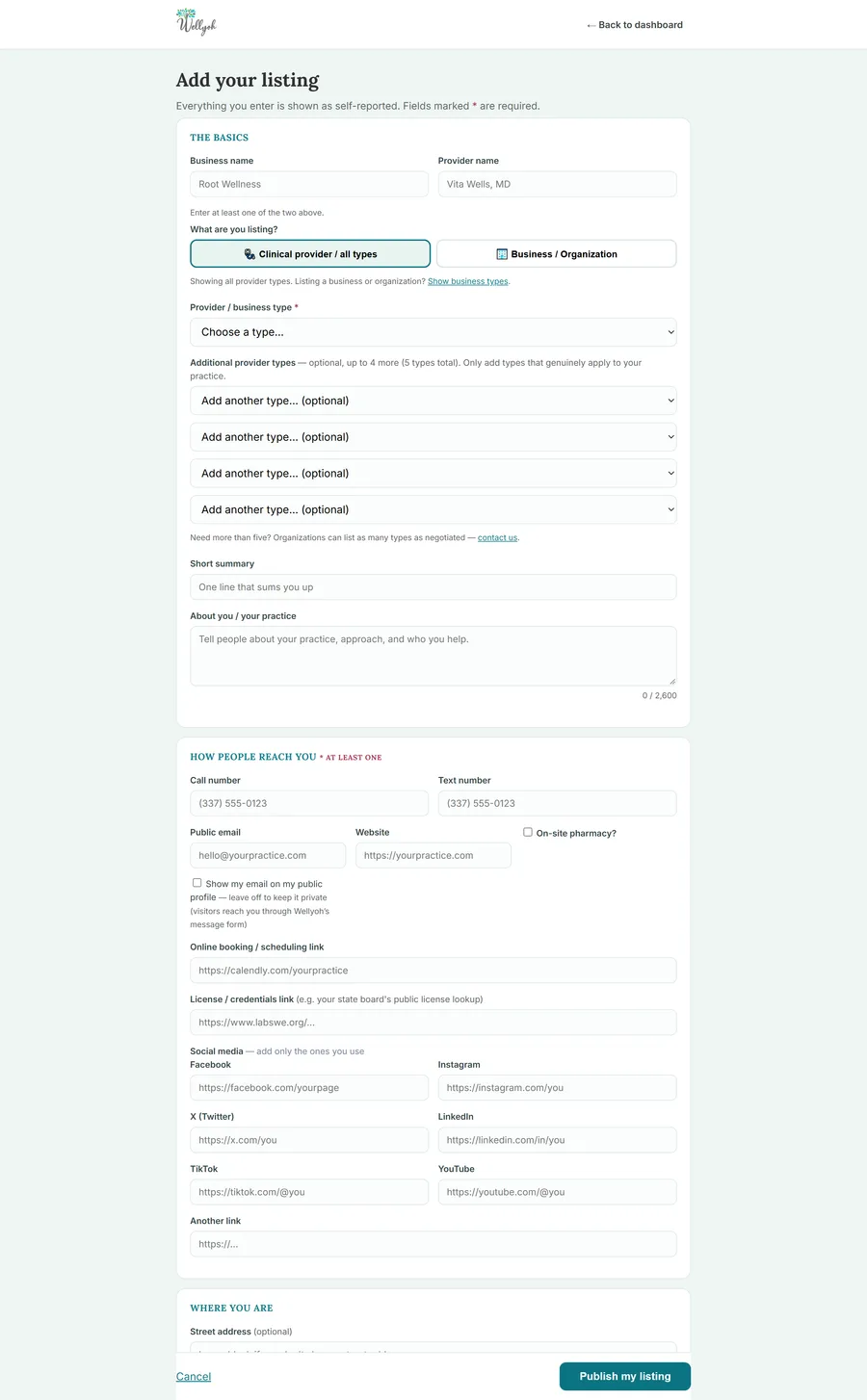
After you create a provider account, you add your practice from a single form. You can list as a clinical provider of any type or as a business or organization, choose one main type plus up to four more, write a short summary and an "about" section, and decide exactly how people reach you. Every field is optional except a name and one way to be contacted, and you choose whether your email shows publicly or stays private behind Wellyoh's message form.
2. Your dashboard
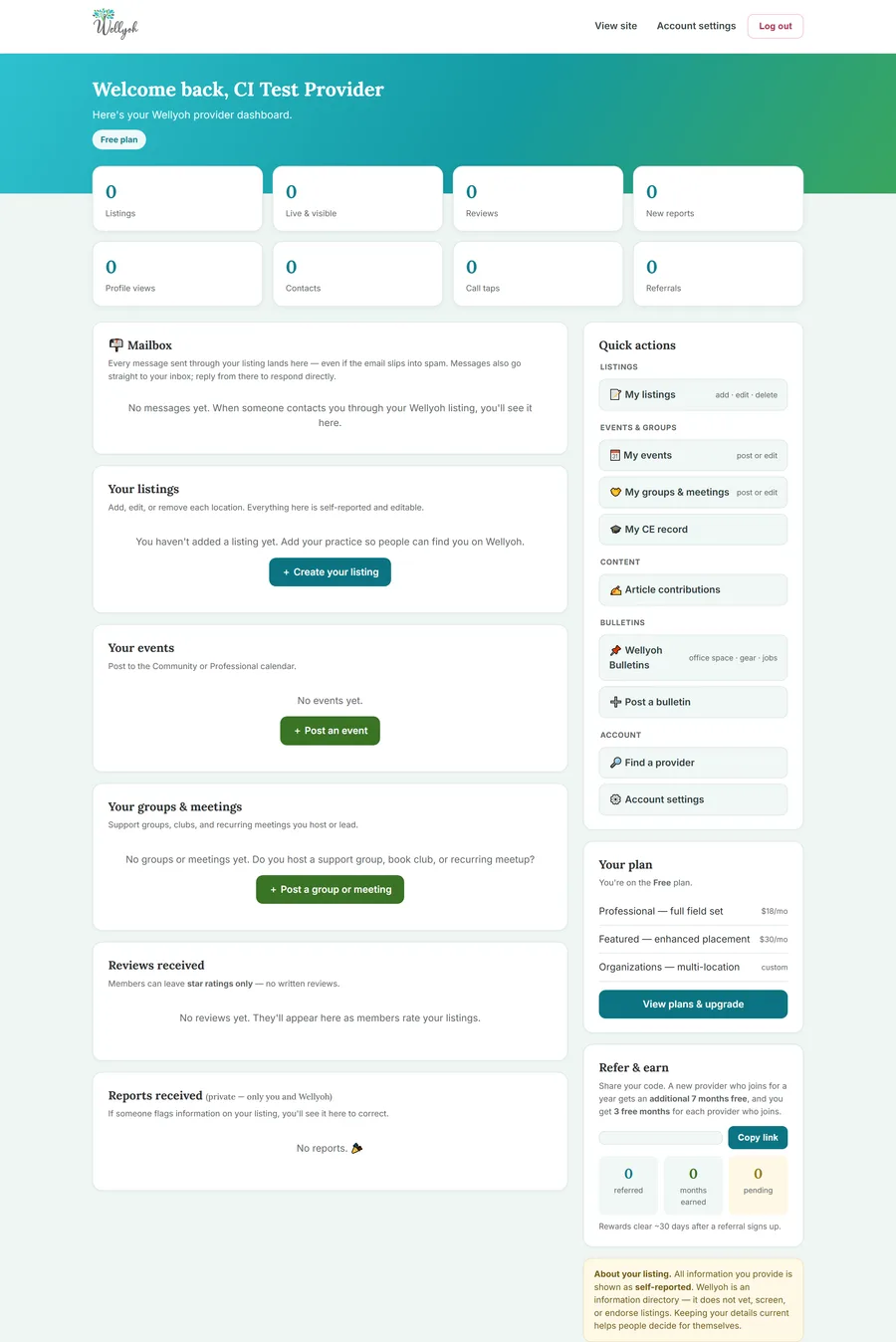
Your dashboard is home base. At a glance you see your listings, how many are live and visible, profile views, contacts, call taps, reviews, and any reports. The Mailbox collects every message sent through your listing, even if the email slips into a spam folder, so nothing gets lost. Quick actions on the right take you straight to your listings, events, groups and meetings, your continuing-education record, article contributions, and bulletins. Your plan and a refer-and-earn panel round out the page.
3. Your account and personal tools
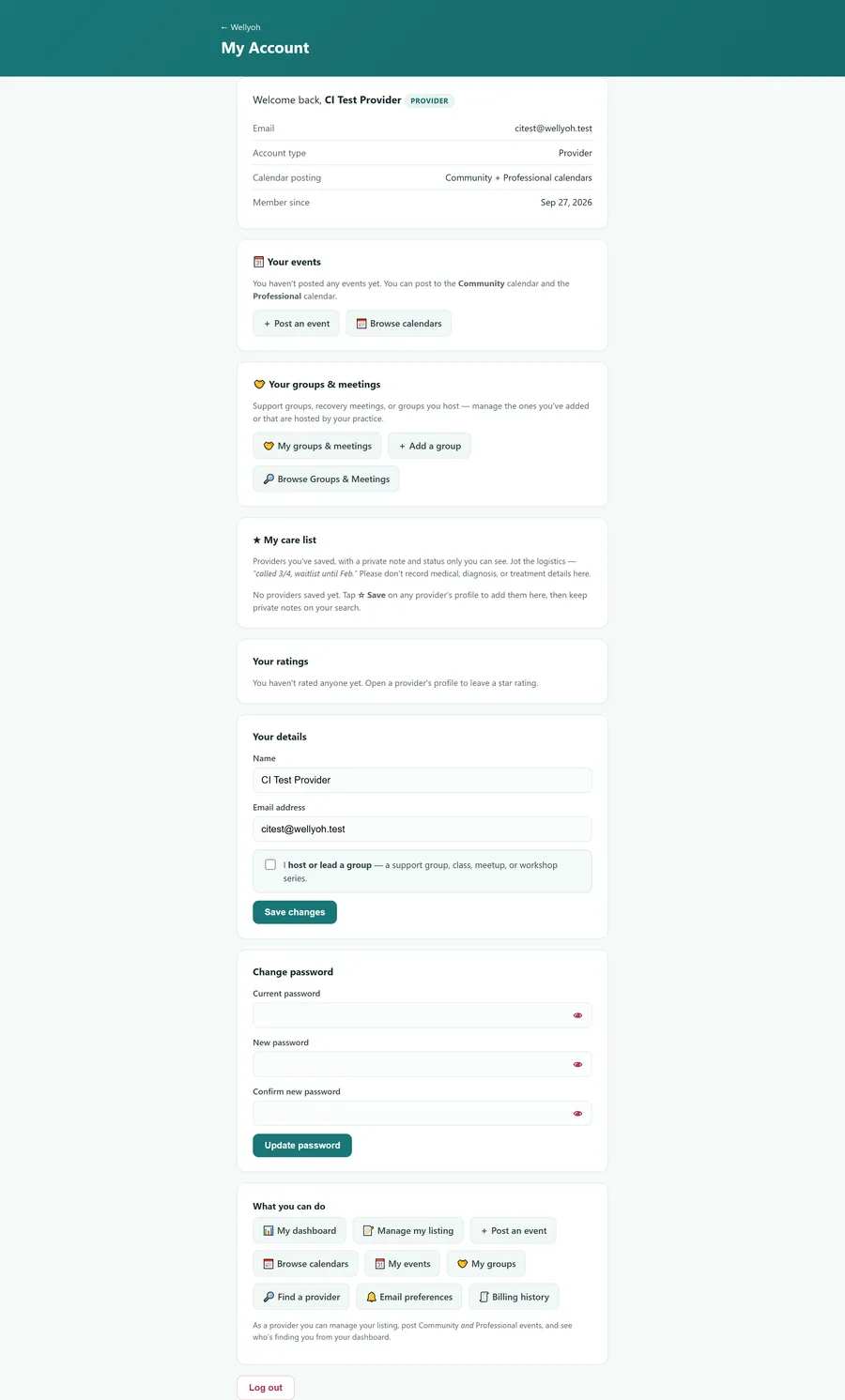
The account page holds your details and settings, and it is also where your personal tools live. You can post to the Community or Professional calendars, host or manage support groups and meetings, keep your own care list, and see any ratings you have left. Updating your name, email, or password takes a moment, and a single checkbox marks you as someone who hosts a group, class, or meeting.
4. Track your continuing education
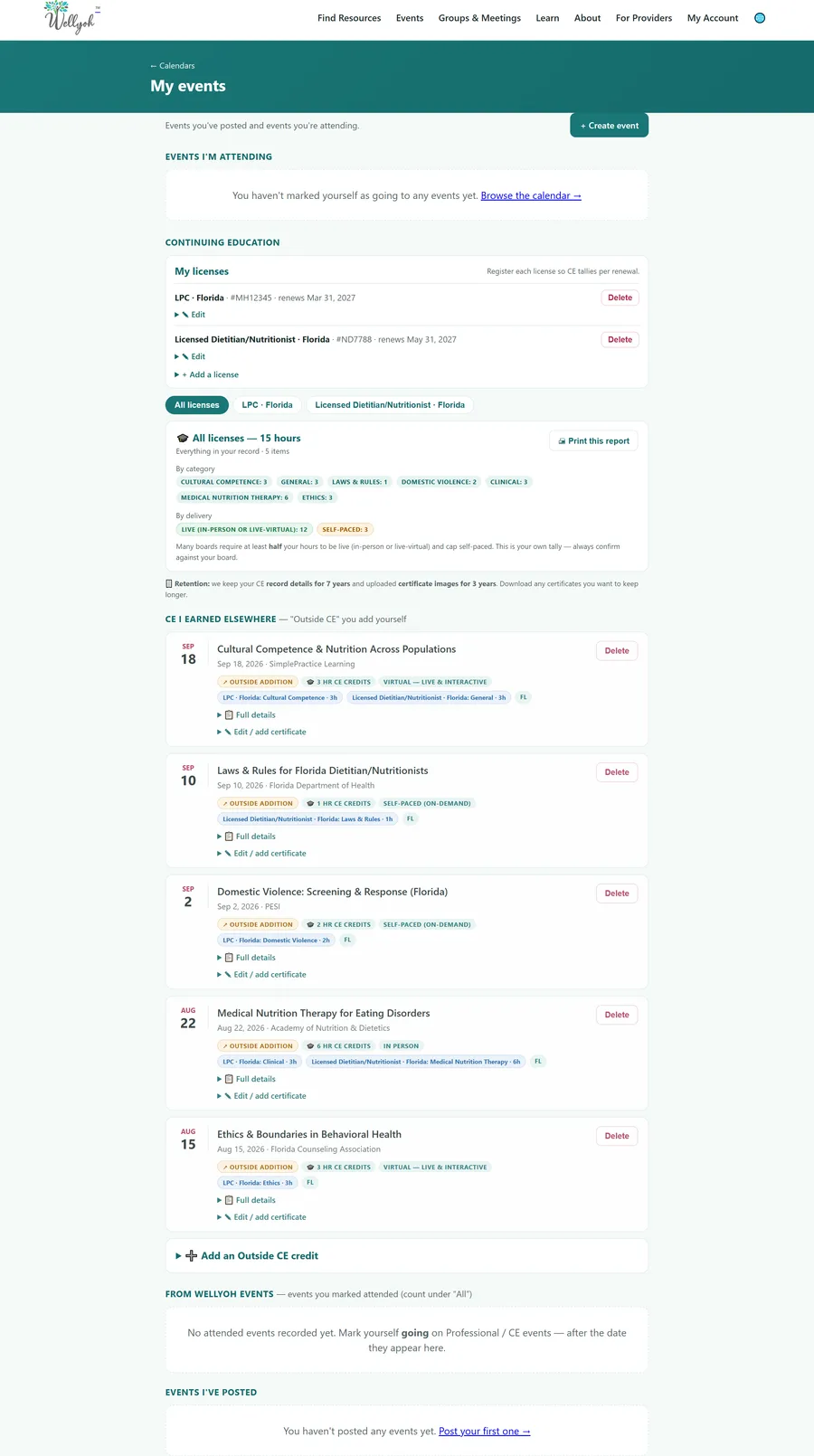
One of the most useful provider tools is the continuing-education record. Register each license you hold, and Wellyoh tallies your hours per renewal, per license. The example below belongs to a provider who holds two Florida licenses, an LPC and a Licensed Dietitian/Nutritionist. The tabs let you switch between "All licenses" and each individual license, and a single class can count toward more than one license in different categories, so your hours are credited everywhere they apply. You can add continuing education you earned anywhere, attach a certificate, see a live tally by category and by delivery format (live versus self-paced), and print a clean report for your board.
5. More ways to show up
Beyond your profile, Wellyoh gives providers several ways to reach people and support their community:
- Events. Post to the Community or Professional calendars, including continuing-education events for other providers.
- Groups and meetings. List a support group, class, book club, or recurring meetup you host or lead.
- Article contributions. Share your expertise by contributing to the learning library, credited to you.
- Bulletins. Post practice notes such as office space, gear, or jobs.
Plans
Wellyoh offers several plans, from a starter listing to Professional and Featured placements and custom multi-location plans for organizations. You can see the current options and what each includes under Your plan on the dashboard, and change plans at any time.
Getting started
Ready to begin? If you are looking for care, start a search and save the providers you like to your care list. If you are a provider, you can add or claim your practice and take the tour above at your own pace. Either way, browse the learning library whenever you want to understand a topic better.
Screens shown are examples from a sample account and may look slightly different as features are added. Information on Wellyoh is self-reported; always confirm a provider's license with your state board.